Display Message |

|

|
|
Display Message |
|
|
Display Message |
|
|
|
Display Message |
|
|
The ProCodeBlock class makes it easy to display a Clarion Message
Note: We realize that this is easily done in hand code, but it is included here because all the class procedures are available to you
You can do this by:
Displaying a Message with the #CODE Template
To display a Message with the #CODE template, just insert the template in any embed point (such as the Accepted event of a button or menu selection)
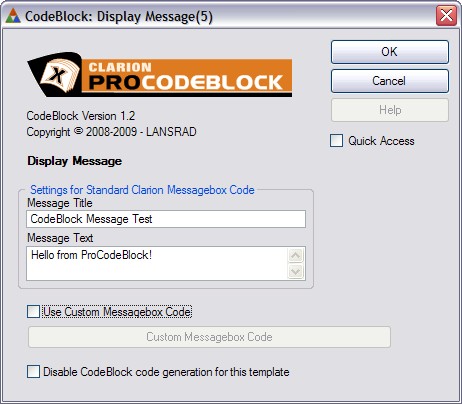
Then just enter the message title and text (without quotes) and click Ok.
You can also click the Use Custom Message box and type/paste your own custom message code into the text entry field.
That is all there is to it!
Displaying a Standard Message with hand code
To display a website URL with hand code, use the following syntax:
CodeBlockUtil.CodeBlockMessage( 'Message Title', 'Message Text' )
or this syntax:
CodeBlockUtil.MessageTitle = 'Message Title'
CodeBlockUtil.MessageText = 'Message Text'
CodeBlockUtil.CodeBlockMessage()