Using the Load From TIFF Feature |

|

|
|
Using the Load From TIFF Feature |
|
|
Using the Load From TIFF Feature |
|
|
|
Using the Load From TIFF Feature |
|
|
|
|
||
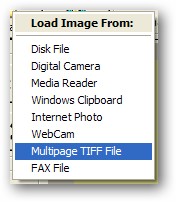
When the menu option is selected, the internal TIFF viewer opens:
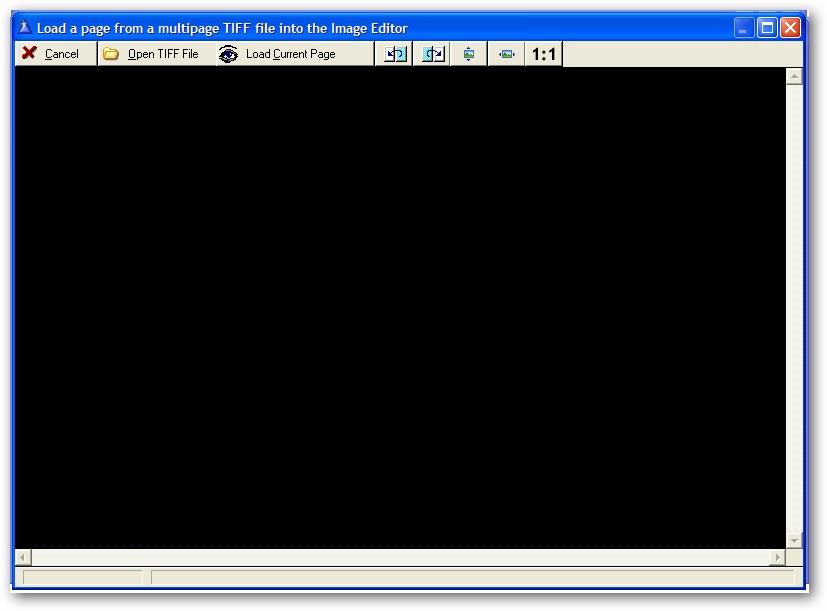
The options available on the TIFF viewer toolbar are:
Cancel - return to the editor with no image.
Open TIFF File - load a TIFF File from disk with the standard ImageEx picture dialog.
Load Current Page - sends the current page displayed in the TIFF viewer back to the editor.
Previous - moves backwards one page in the TIFF file.
Next - moves forward one page in the TIFF file.
Zoom to Height - resizes the page of the TIFF file to the height of the viewer.
Zoom to Width - resizes the page of the TIFF file to the width of the viewer.
Zoom 1:1 - display the page of the TIFF file at its original size.
When a TIFF File is loaded, it is displayed in the viewer:
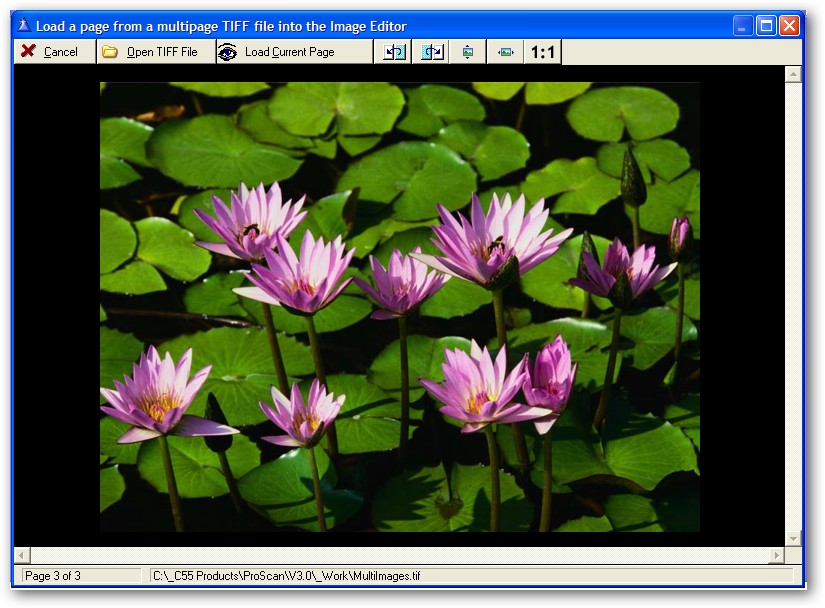
The status bar displays the TIFF name as well as the current page number being displayed and the total number of pages.
The user moves forward or backwards in the TIFF with the toolbar buttons (as well as the Up, Down, Left, Right, PgUp or PgDn keys).
Then they click the Load Current Page button to send the TIFF page back to the editor
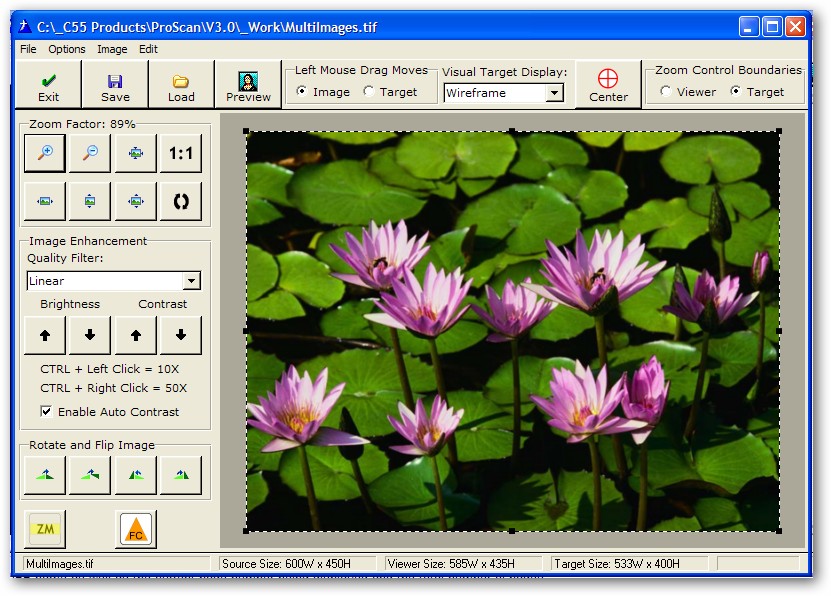
Note: It does not matter if the multi-page TIFF contains photos, scanned documents or both. You can still select a page from it with ease.