Default Settings |

|

|
|
Default Settings |
|
|
Default Settings |
|
|
|
Default Settings |
|
|
The Global Extension - Defaults
The Defaults tab of the Global Extension lets you set values that will be automatically populated to other Extension templates as you add them throughout your application.
This saves you time and makes it easy to implement ProCodeBlock.
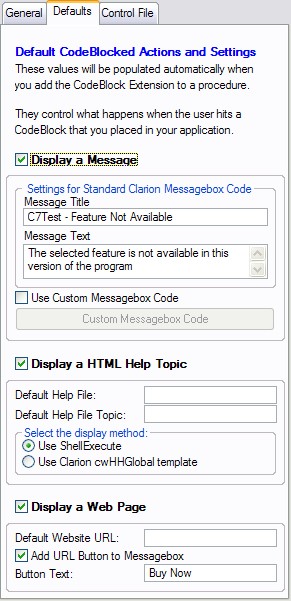
Display a Message
Check this option if you want it enabled automatically as you add other Extension templates.
Message Title
This is the TITLE of a standard Clarion Messagebox.
Message Text
This is the TEXT of a standard Clarion Messagebox.
Use Custom Messagebox Code
Check this option to disable the Standard Messagebox generation and enable an entry button where you can type or paste your own Custom Messagebox code.
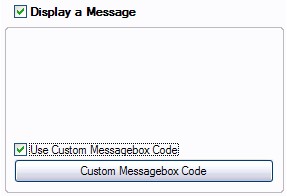
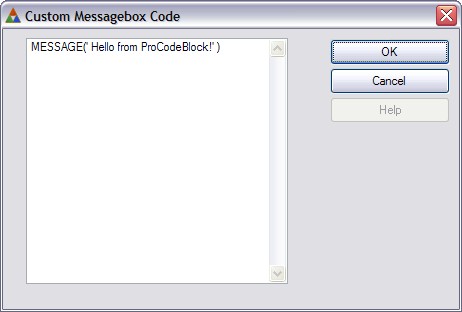
Custom Messagebox Code
Click this button and type/paste your own Custom Messagebox code.
Display a HTML Help Topic
Check this option if you want it enabled automatically as you add other Extension templates.
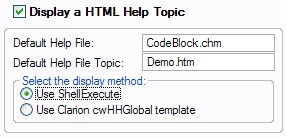
Default Help File
Enter the name of the default HTML help file to display (no quotes needed on this extension)
Default Help Topic
Enter the name of the default HTML help file topic to display (no quotes needed on this extension)
Select Display Method
ProCodeBlock can display a HTML help file topic using the ShellExecute API or with the standard Clarion cwHHGlobal template.
The default value is to use ShellExecute.
What's the difference?
Using ShellExecute to display the help topic means that the help topic will remain open after your application closes. This can be very useful when you want to close your application after advising the user that they have been CodeBlocked.
Display a Website URL
Check this option if you want it enabled automatically as you add other Extension templates.
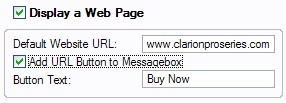
Default Website URL
The URL to display (using ShellExecute)
Add URL Button to Messagebox
Check this box to add a button on the standard Messagebox (above) that offers to take the user to a website URL when the Messagebox is displayed.
Button Text
The text to go on the standard button (limited to about 10 characters).
The default text is Buy Now.
Note: the button text is disabled if you are using Custom Messagebox code above