Set the Initial Archive Mode by Procedure Parameter |

|

|
|
Set the Initial Archive Mode by Procedure Parameter |
|
|
Set the Initial Archive Mode by Procedure Parameter |
|
|
|
Set the Initial Archive Mode by Procedure Parameter |
|
|
This template has an option to set the Initial Archive Mode by a parameter passed to the procedure.
To enable the feature, check the box labeled Set Initial Archive Mode by Procedure Parameter
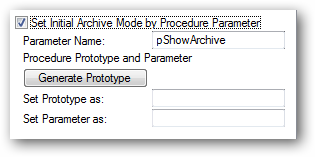
The default parameter variable name is pShowArchive.
Click this button and the template will generate the prototype and parameter code for you.
Then you will see the generated code:
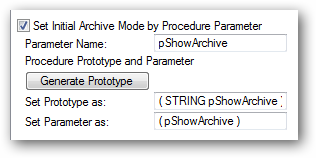
Click into the Set Prototype as field, highlight and then use CTRL+C to copy the contents to the clipboard.
Next open your browse procedure properties and paste the contents into the prototype field as shown here:
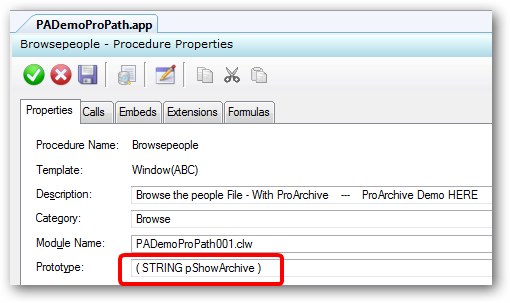
Then click the Action button and paste the contents into the parameters field.
Then delete the STRING part of the clipboard content leaving only the parameter name as shown here:
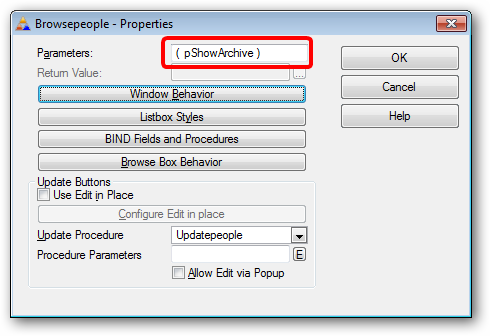
Click the green checkbox to save your changes to the procedure prototype and parameter list.