BrowseShare |

|

|
|
BrowseShare |
|
|
BrowseShare |
|
|
|
BrowseShare |
|
|
The BrowseShare template allows you to share an existing browse between active and archive data files. It can also modify the controls and behavior of the browse when the archive mode is active.
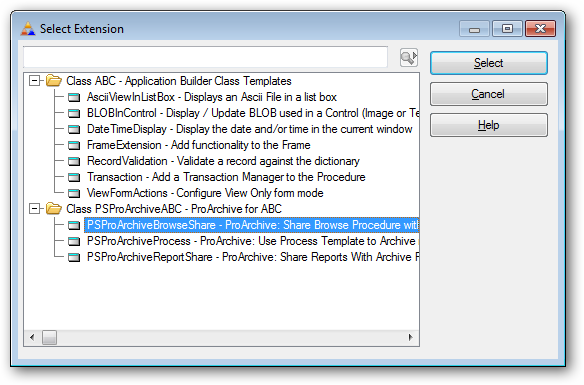
First add the extension template to the browse procedure.
The General tab.
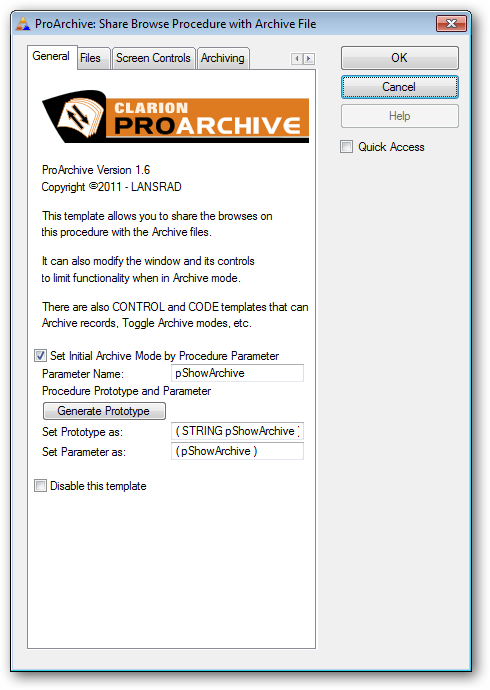
The template has an option to set the Initial Archive Mode by a parameter passed to the procedure.
Click here for details.
The Files tab.
This tab is where you tell ProArchive what files are being archived in this procedure.
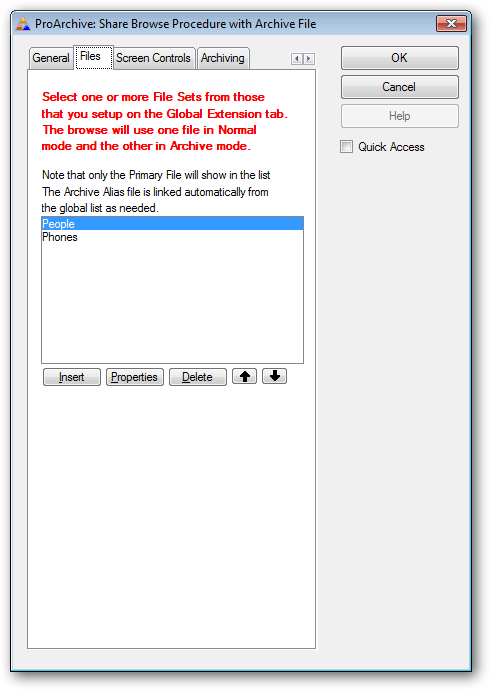
Click INSERT and select a file set from the drop list that contains the names of the primary file for each set that you defined in the ProArchive global extension.
Note that even if the file you want is the default value - you still need to click the drop down and select it from the list so that template processing can take place based on your selection.
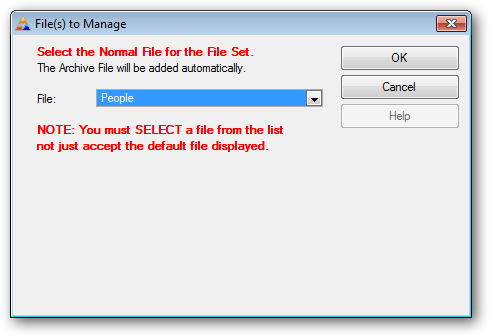
Repeat this for any child files that are also archived with this procedure.
The Screen Controls tab.
This tab is where you set the behaviour of the browse and screen controls when this procedure is in archive mode.
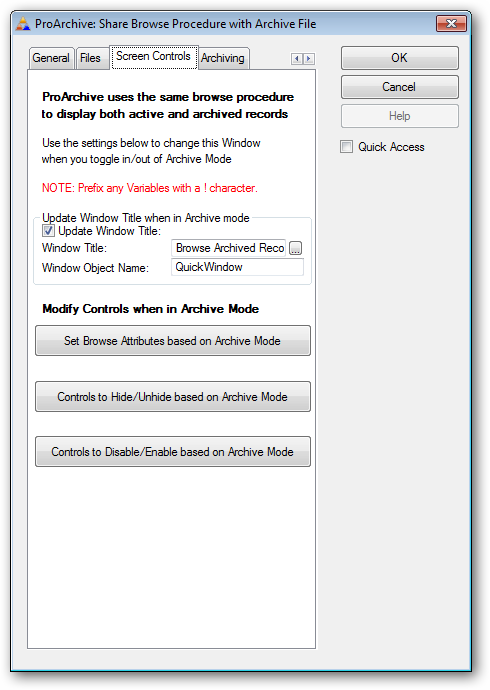
Modify the Window title when in archive mode
ProArchive can automatically update the window title of the shared browse procedure when the archive mode is active, then restore it when the mode is toggled back to the active data file.
To enable the feature, check the Update Window Title box.
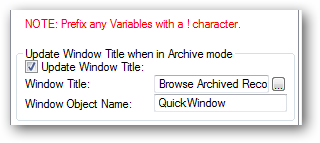
Then enter the text you want displayed or type a ! followed by a variable name. You can also select a variable with the lookup button.
The template will attempt to gather the Window Object Name automatically. If you get compile errors then you can set the value manually.
Modify Controls when in Archive Mode
ProArchive can modify the look and feel as well as the behaviour of the browse and other controls when the archive mode is active, then restore them when the mode is toggled back to the active data file.
To set the Browse Attributes, click this button
Click here for details on how to set Browse Attributes
To Hide/Unhide other controls, click this button
Click here for details on how to set Hide/Unhide controls
To Enable/Disable other controls, click this button
Click here for details on how to set Enable/Disable controls
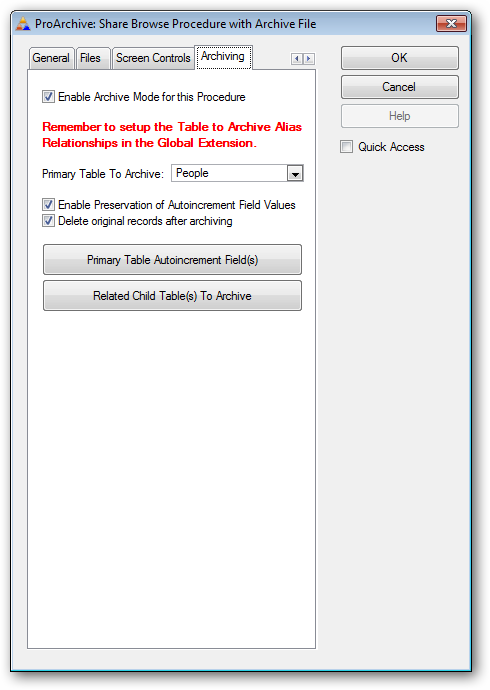
The Archiving tab.
This tab is where you control the archiving process for this procedure.
If you want to enable archiving of records from this browse, check the box that says Enable Archive Mode for this Procedure.
Click here for details on controlling the archiving actions.
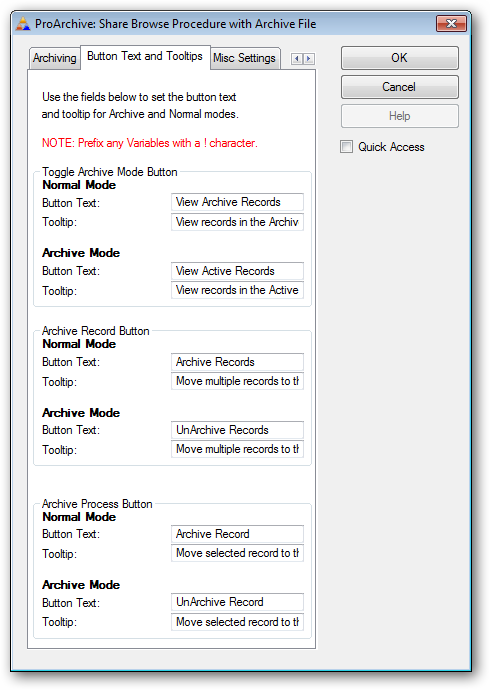
The Button Text and Tooltips tab.
This tab is where you set the default text and tooltips that will appear on the button controls.
If you use variables here, be sure to prefix the variable name with the ! symbol.
Note that this template uses the translation class and works fine with BoTran to support language translations on these items.
The Misc Settings tab.
This tab is where you set miscellaneous settings used by this template.
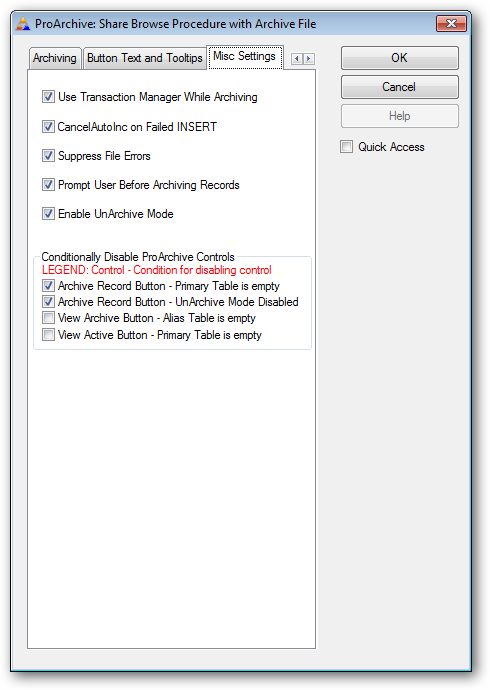
Use Transaction Manager While Archiving
By default ProArchive wraps the archive actions in the Transaction Manager to ensure that the entire process of moving and/or deleting records from both the parent and child files is a success.
CancelAutoInc on Failed INSERT
By default, ProArchive will cancel the autoincrement when an insert fails (before the rollback occurs).
Suppress File Errors
When this box is checked, the code generated will use the "Try" methods ( such as "TryInsert" ) to suppress file errors.
Prompt User Before Archiving Records
When this box is checked, a MESSAGE statement will prompt the user to confirm that they want to archive the record.
Enable UnArchive Mode
When this box is checked, the "Archive Record" button will be enabled when the browse is viewing the archive file and will be changed to say "UnArchive Record". It is used to allow records to be moved from the archive files back into the active files.
Conditionally Disabling ProArchive Controls
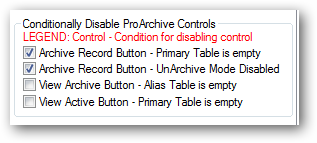
When these boxes are checked, the named controls will be disabled when the conditions listed are met.
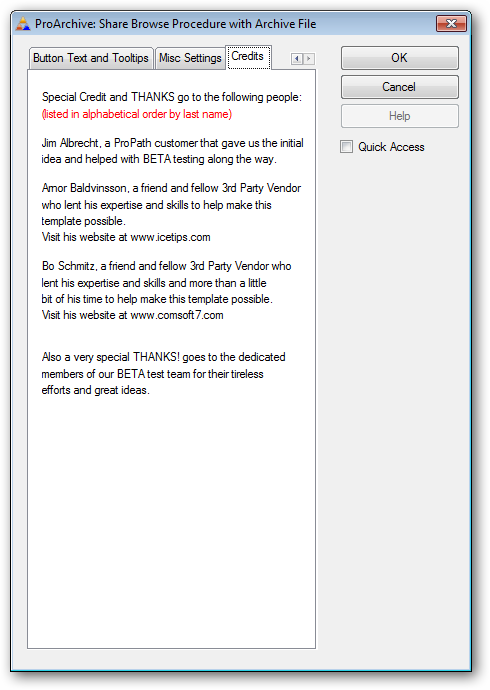
The Credits tab.
This tab is where we give special credit to the people who helped make this template possible.